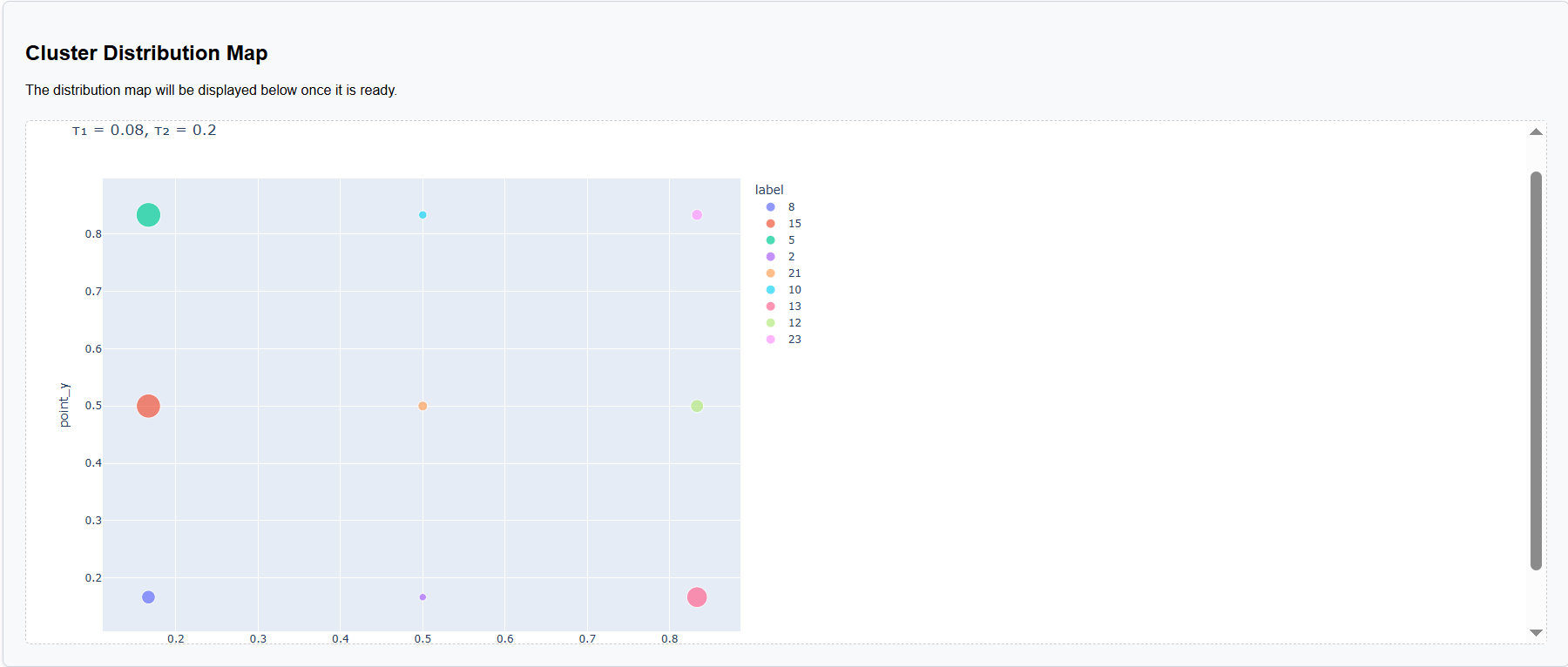
How to Run Analysis
Here you will find detailed instructions on how to use the scGHSOM web server.
1. Upload your data
Make sure your input file is in CSV format and under 300 MB.
If you do not have your own dataset, you may use our sample dataset.
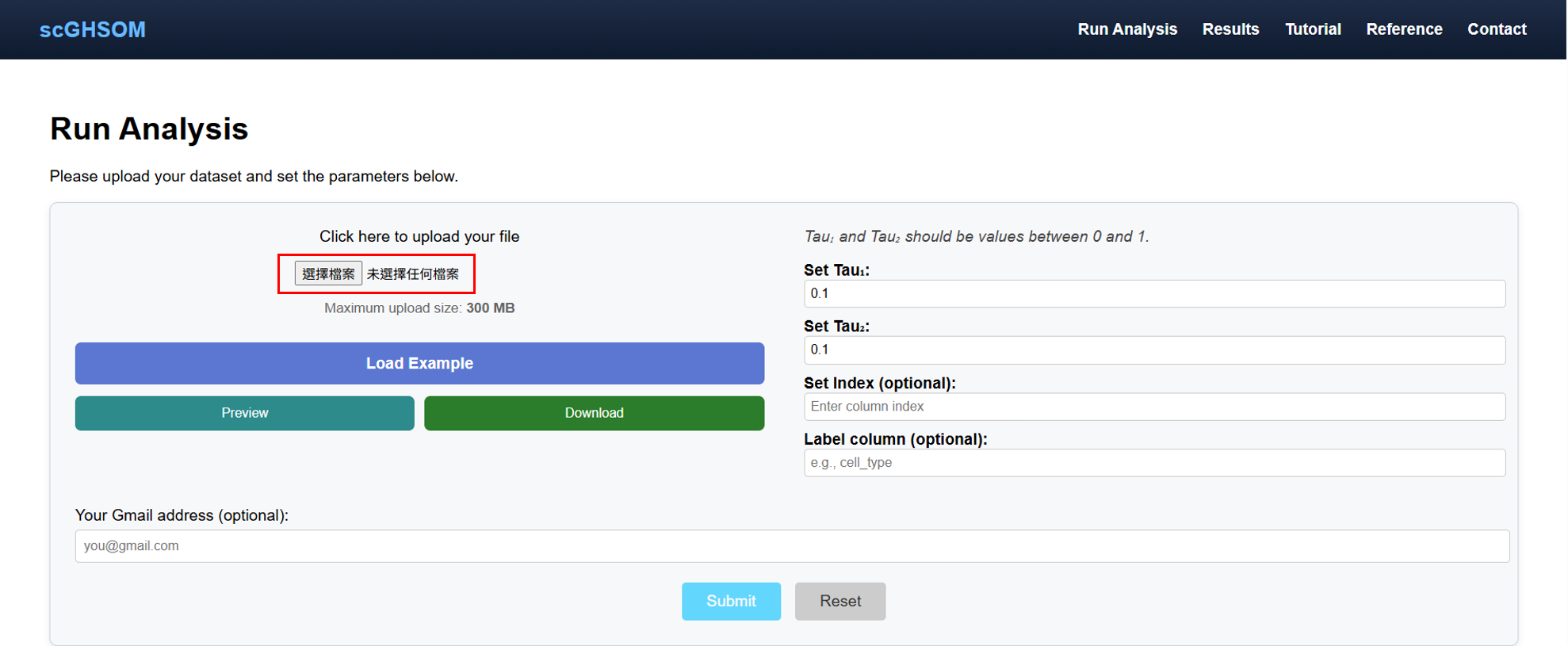
2. Fill in the hyperparameters
❓ Click here to see detailed explanations for each input field.
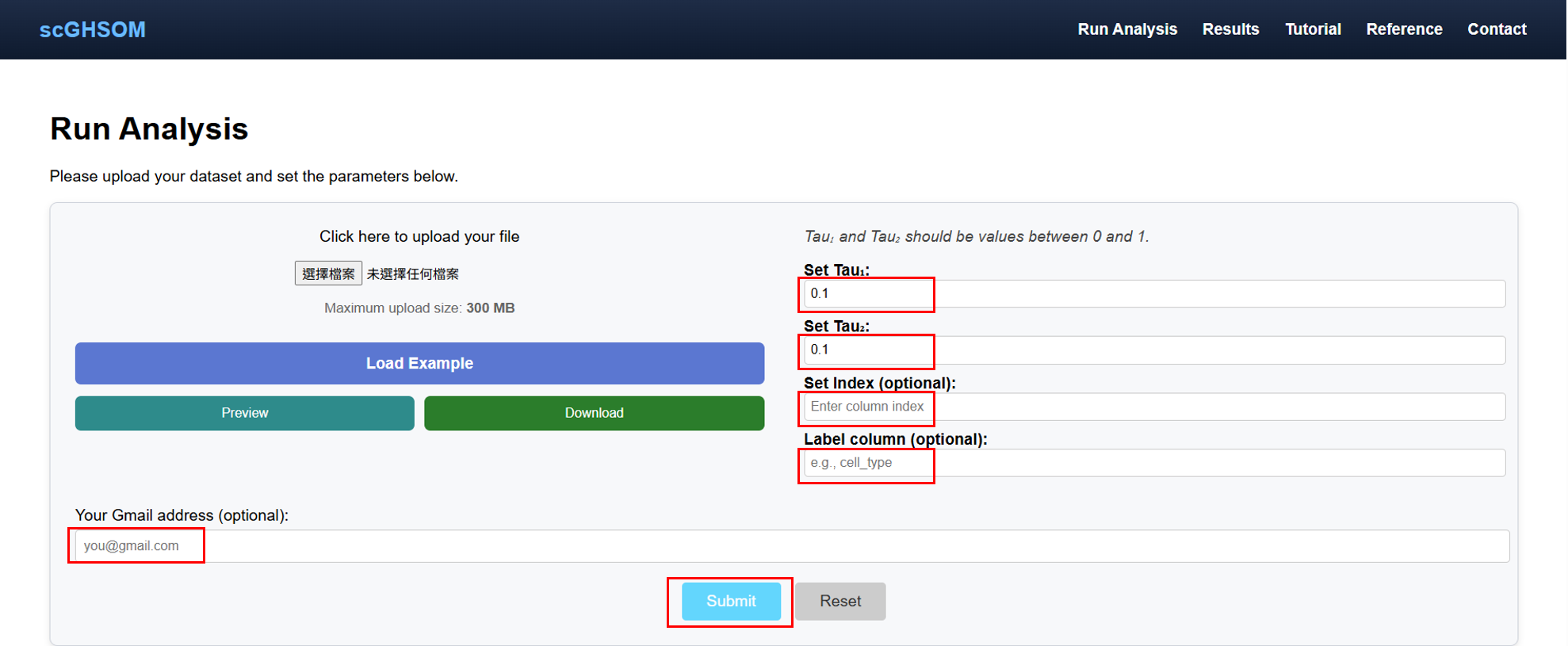
💡 If you provide an Email address, we will notify you by email once the analysis is completed.
3. Uploading in progress
⚠️ Important: Do not leave the page during upload.
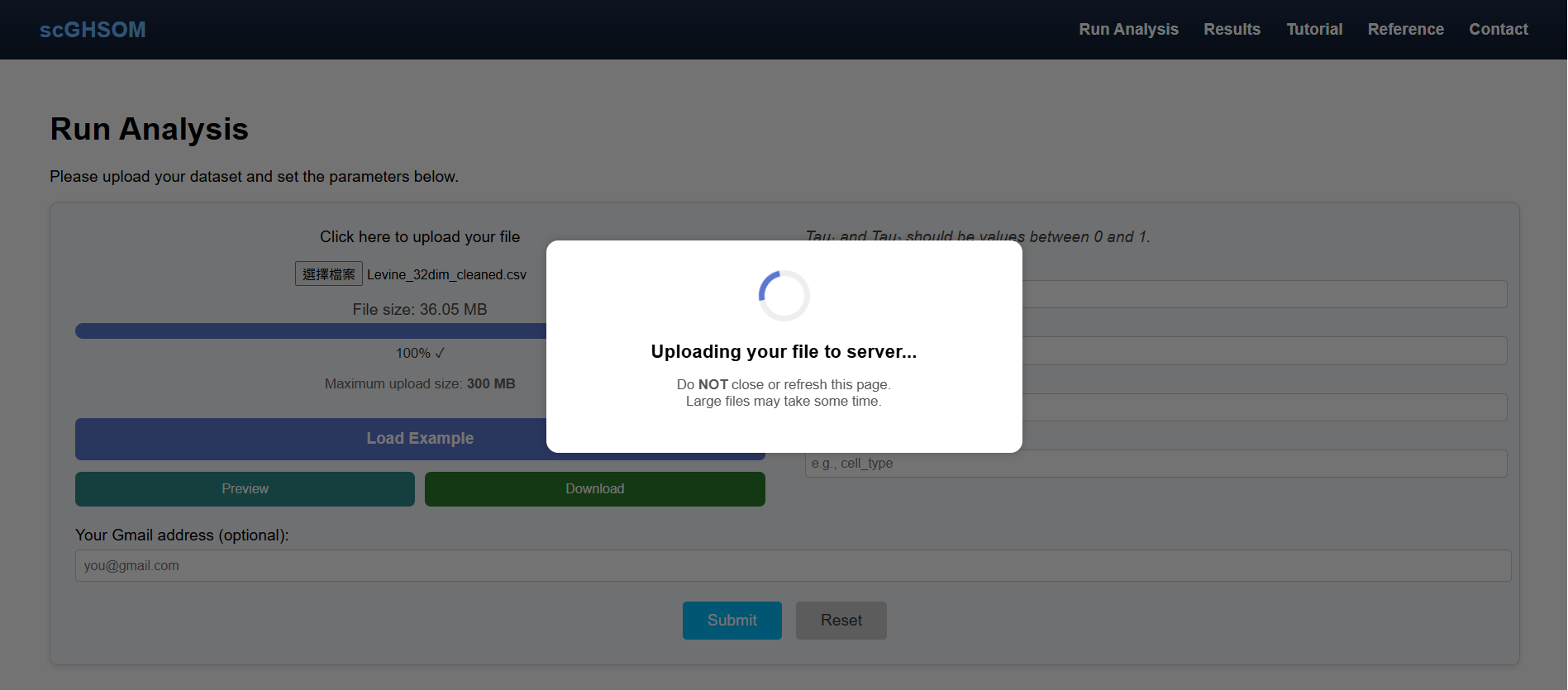
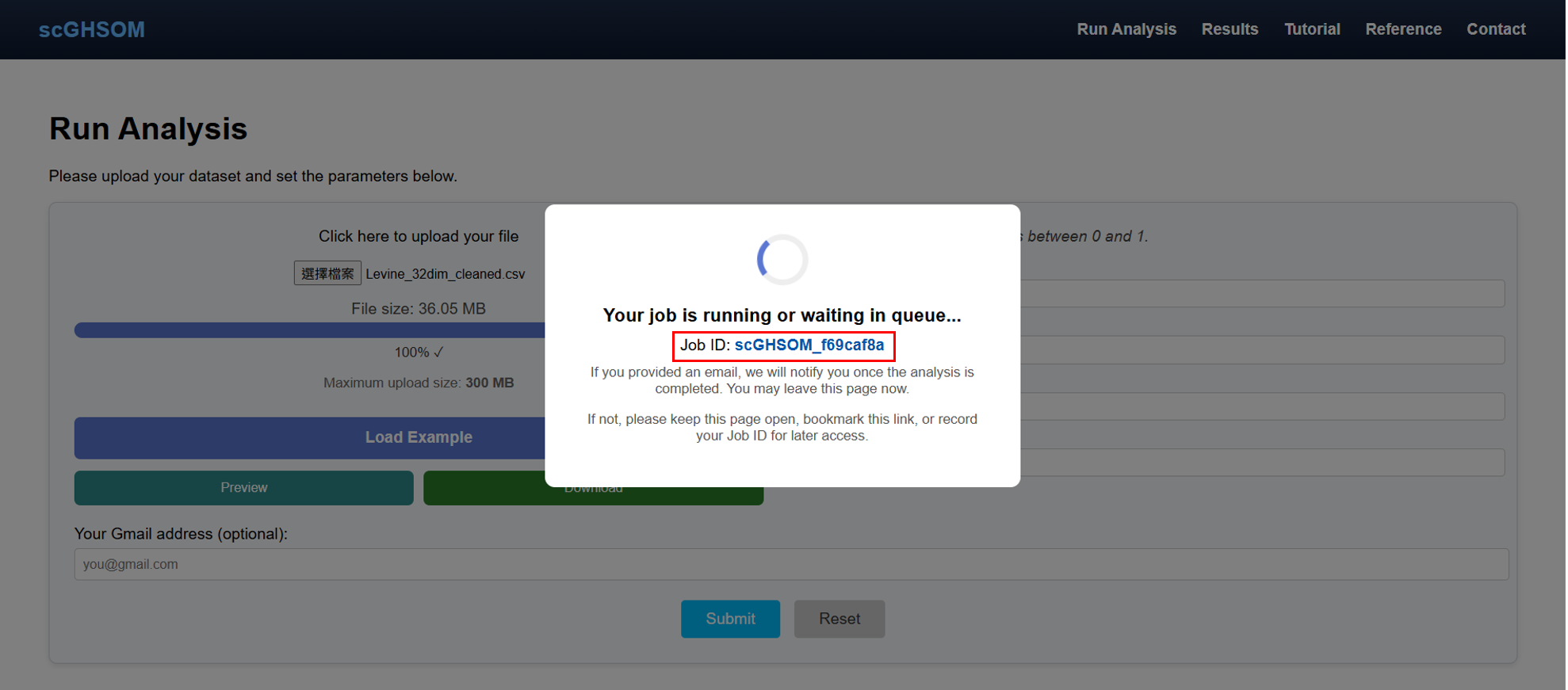
4. Job dispatched
Your file has now been successfully submitted.
- You may stay and wait.
- You may record your Job ID or bookmark the link.
- Email notification will be sent if provided.
5. View your results
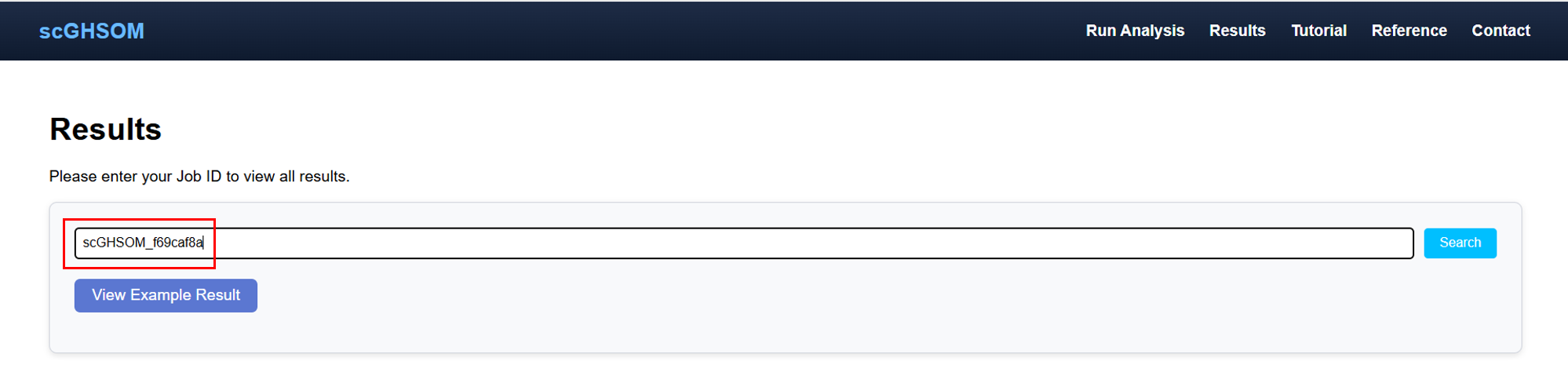
- Enter your Job ID on the Results page.
- Or click your bookmarked result link.
6. Understanding the results
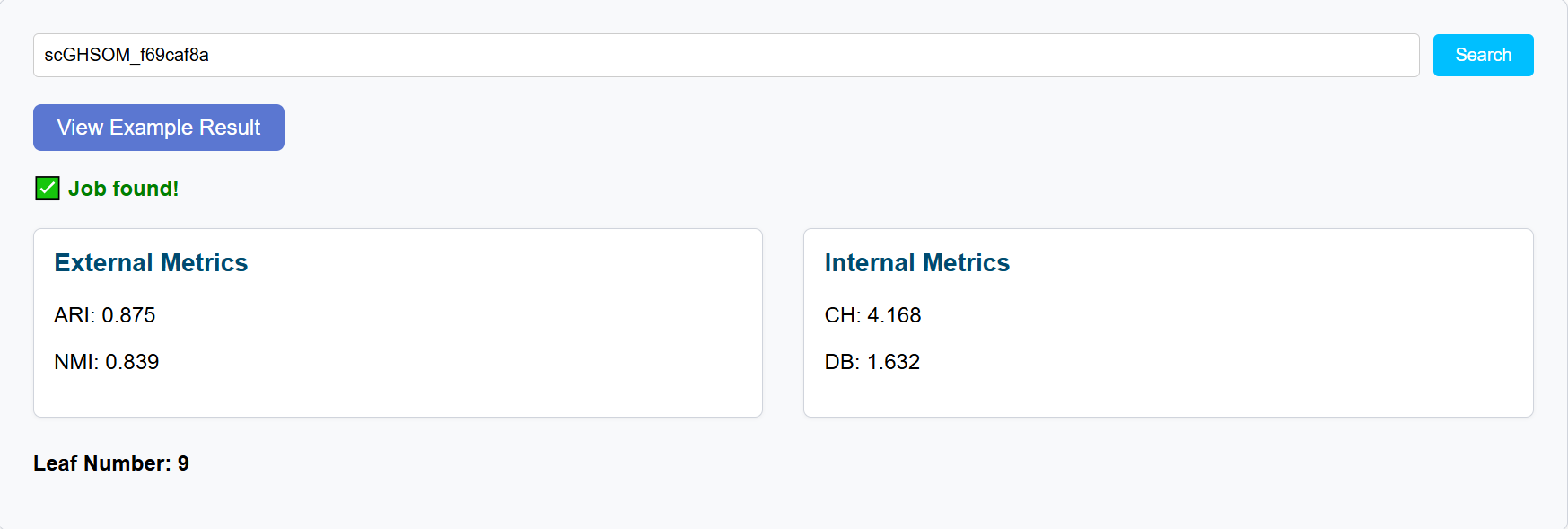
6.1 Evaluation metrics
6.2 Cluster Feature Map
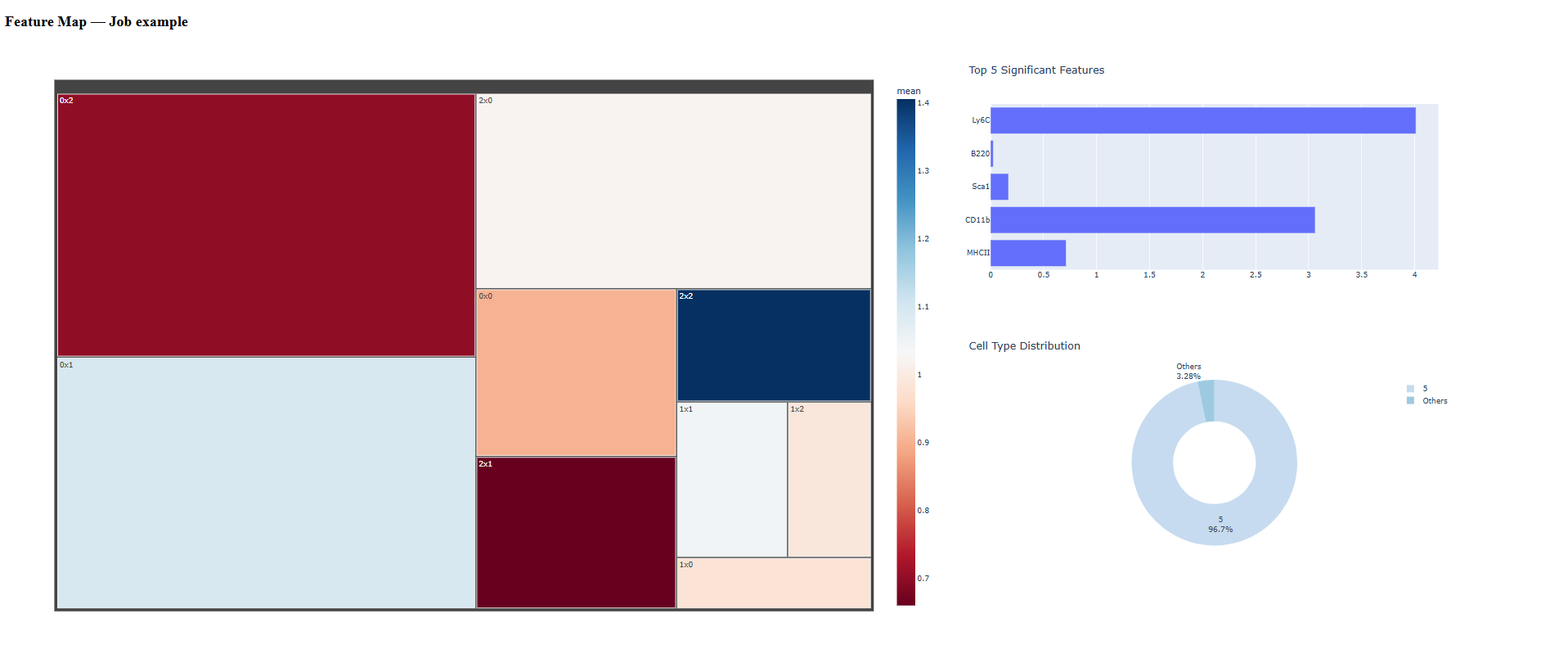
6.3 Cluster Distribution Map